
Download MediaWiki – Free Open‑Source Wiki Software for Teams, Communities & Projects
What Is MediaWiki and Why It Still Matters in 2025?
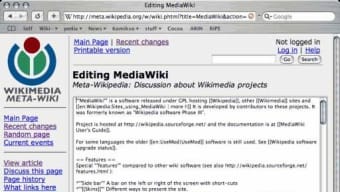
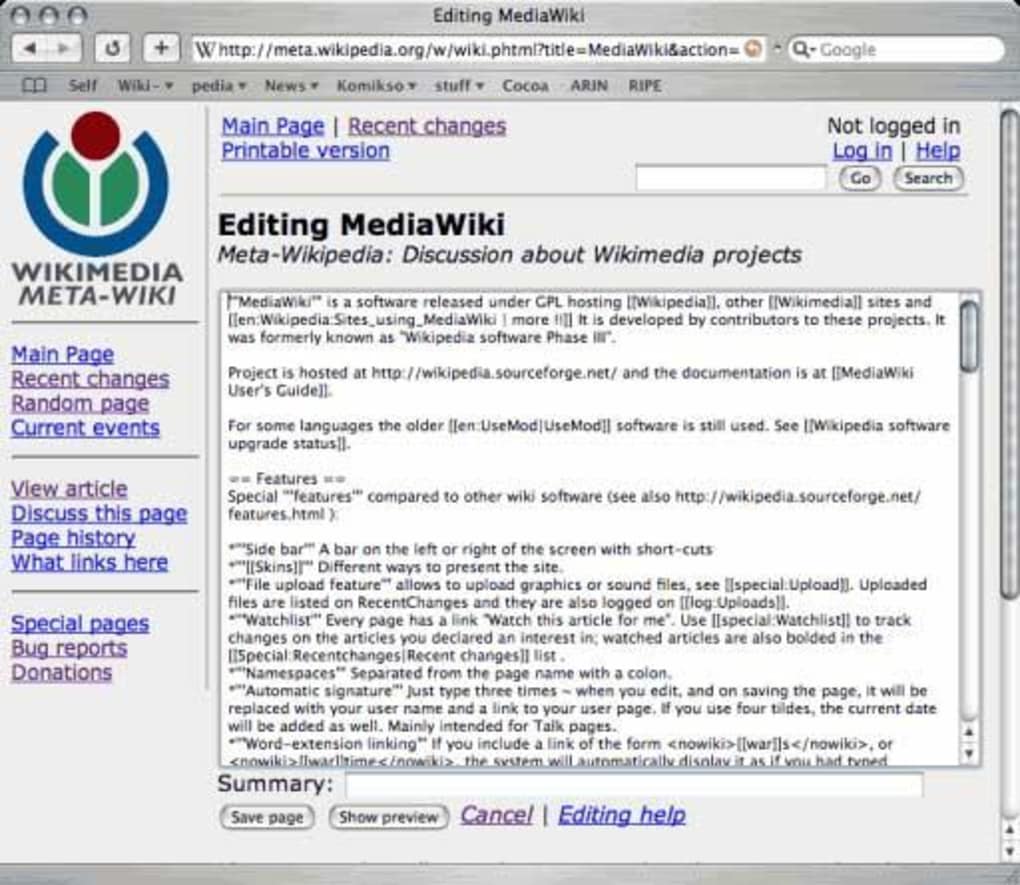
MediaWiki is the same powerful engine that runs Wikipedia, Wiktionary, and dozens of other high‑traffic knowledge bases worldwide. Released under the GNU General Public License (GPL), it offers a free, server‑based solution for anyone who wants to build a collaborative, searchable encyclopedia, documentation portal, or community hub. Even though the internet has exploded with new platforms, the core idea of a wiki—collective knowledge, easy editing, and version control—remains as relevant as ever. MediaWiki’s architecture is built on PHP and MySQL, but you don’t need deep database expertise to get started; its wikitext markup lets contributors write and format pages with a syntax that feels natural, even for users unfamiliar with HTML or CSS.
From small hobby projects to massive enterprise knowledge bases that handle millions of page views per day, MediaWiki scales gracefully. The software includes built‑in support for extensions, skins, and internationalisation, allowing you to customise the look, feel, and functionality to match any brand or community need. Whether you’re a developer wanting to host API documentation, an educator assembling a curriculum wiki, or a fan group preserving lore, MediaWiki gives you a secure, extensible foundation without licensing fees.
In this review we’ll explore the key features that set MediaWiki apart, walk through the installation and configuration process, discuss compatibility with modern operating systems, weigh the pros and cons, and answer the most common questions asked by new adopters. By the end you’ll know exactly how to download, set up, and start leveraging MediaWiki for your own collaborative projects.
Core Features That Make MediaWiki a Robust Wiki Engine
- Wikitext Editing: Simple markup language that allows users to format text, create tables, embed images, and add references without needing HTML knowledge.
- Version History & Rollback: Every edit is stored, giving you a complete audit trail and the ability to revert to previous versions instantly.
- Extensible Architecture: Hundreds of extensions (e.g., VisualEditor, Semantic MediaWiki, and PageForms) let you add rich text editors, semantic queries, and custom forms.
- Internationalisation (i18n): Built‑in localisation supports more than 300 languages, making it ideal for global communities.
- User Permissions & Roles: Granular control over who can read, edit, or administrate pages, with support for group‑based rights.
- Search Engine Optimisation (SEO) Friendly URLs: Clean URLs and meta‑tag support improve discoverability on Google and other search engines.
- File Repository Integration: Store images, PDFs, and other media on the same server or connect to external repositories like Amazon S3.
- Responsive Skins: Themes such as Vector, MonoBook, and custom skins ensure the wiki looks great on desktop, tablet, and mobile devices.
- API & Web Services: RESTful and Action APIs enable programmatic access, automation, and integration with other applications.
- Security Features: Built‑in CSRF protection, XSS sanitisation, and support for two‑factor authentication keep your data safe.
Beyond the list above, MediaWiki’s community‑driven development model means you receive regular security patches, performance improvements, and new features. The recent 1.40 LTS release introduced a more modern visual editor, better handling of large file uploads, and a streamlined extension installation process. For organisations that need compliance, the software can be configured to meet GDPR, HIPAA, and other regulatory standards by leveraging extensions that enforce data retention policies and audit logging.
All these capabilities combine to make MediaWiki a flexible, future‑proof platform that can evolve alongside your project’s needs. Whether you’re launching a public encyclopedia or an internal knowledge base, the feature set ensures you have the tools required for collaboration, content governance, and long‑term sustainability.
Installation, Configuration, and Compatibility Guide
Step‑by‑Step Installation
Getting MediaWiki up and running is straightforward for anyone familiar with basic server administration. Follow these steps to download, install, and launch your first wiki:
- Prerequisites: Ensure you have PHP 7.4+ (or newer), MySQL 5.7+ (or MariaDB), and a web server such as Apache or Nginx. Most shared hosting providers already meet these requirements.
- Download the Package: Visit the official MediaWiki download page and grab the latest stable tar.gz or zip archive.
- Extract Files: Upload the extracted folder to your web root (e.g.,
/var/www/html/mediawiki) using FTP, SFTP, or a control‑panel file manager. - Create a Database: Log into MySQL and create a new database and user:
CREATE DATABASE wikidb CHARACTER SET utf8mb4 COLLATE utf8mb4_unicode_ci;
GRANT ALL PRIVILEGES ON wikidb.* TO 'wikiuser'@'localhost' IDENTIFIED BY 'strongpassword';
- Run the Installer: Navigate to
http://yourdomain.com/mediawiki. The web‑based installer will guide you through database configuration, site name, admin account creation, and basic settings. - Secure the Installation: After successful setup, delete the
mw-config/directory or rename it to prevent re‑installation attacks. - Optional Extensions: To add features like VisualEditor, download the extension from MediaWiki Extension Directory and follow the provided installation instructions (usually adding a few lines to
LocalSettings.php).
Configuration Tips for Everyday Use
Once installed, you’ll want to fine‑tune a few settings to improve performance and usability. Edit LocalSettings.php to:
- Enable caching with
$wgMainCacheType = CACHE_ACCEL;if you have Memcached or APCu. - Set $wgEnableUploads = true; and define allowed file types for image and document uploads.
- Configure $wgDefaultSkin = 'vector'; or switch to a custom skin for branding.
- Activate $wgUseInstantCommons = true; if you want to pull media from Wikimedia Commons.
For multi‑language wikis, add $wgLanguageCode = 'en'; and enable $wgUseLanguageConversion = true; to support content translation.
Operating System Compatibility (Windows, macOS, Linux)
MediaWiki is platform‑agnostic because it runs on a web server. It works equally well on:
- Linux distributions: Ubuntu, Debian, CentOS, and Fedora provide the most straightforward LAMP (Linux‑Apache‑MySQL‑PHP) stack.
- Windows Server: Use IIS with PHP via the Web Platform Installer, or install Apache for a familiar LAMP‑like environment.
- macOS: Install Homebrew, then
brew install php mysql apache2to create a local development environment.
Docker users can pull the official MediaWiki image (mediawiki:latest) and launch a container in seconds, which is ideal for testing, CI pipelines, or isolated production deployments.
Because MediaWiki separates the application code from the database, you can also host the database on a managed cloud service (Amazon RDS, Google Cloud SQL) while the web server runs on a separate VM or serverless platform, giving you flexibility to scale horizontally as traffic grows.
Pros, Cons, Frequently Asked Questions, and Final Thoughts
Pros & Cons
- Pros:
- Completely free and open‑source – no licensing fees.
- Proven scalability from small hobby wikis to Wikipedia‑scale deployments.
- Rich ecosystem of extensions and skins for customisation.
- Strong community support, regular security updates, and extensive documentation.
- Built‑in version control, user permissions, and multilingual support.
- Cons:
- Initial setup can be technical for users without server experience.
- Default wikitext syntax has a learning curve compared to modern WYSIWYG editors (though VisualEditor mitigates this).
- Performance tuning may be required for high‑traffic sites (caching, database optimisation).
- Limited out‑of‑the‑box mobile app support – relies on responsive skins.
FAQ – Answers to Common Queries
Is MediaWiki suitable for a small personal project?
Absolutely. MediaWiki can run on a low‑cost shared hosting plan and still provide all core wiki features. For a single‑user or small team, you’ll benefit from version history, easy editing, and the ability to expand with extensions as the project grows.
Can I integrate MediaWiki with my existing authentication system?
Yes. MediaWiki supports LDAP, OAuth, SAML, and custom authentication plugins. This allows you to sync user accounts with Active Directory, Google Workspace, or any third‑party identity provider.
How secure is MediaWiki against common web threats?
The core software includes built‑in protection against CSRF, XSS, and SQL injection. Regular security releases address vulnerabilities quickly. Additionally, you can harden your installation with HTTPS, two‑factor authentication, and security‑focused extensions.
Do I need to know SQL or PHP to maintain MediaWiki?
Basic maintenance (updates, backups, extension installs) can be done without deep coding knowledge. However, customizing behaviour beyond the provided settings may require some PHP editing or SQL queries, especially for advanced extensions.
What’s the difference between MediaWiki and other wiki platforms like Confluence?
MediaWiki is open‑source and free, with a massive community and extensive extension library. Confluence is a commercial product with built‑in enterprise support and tighter integration with Atlassian tools. Choose MediaWiki if you prioritise cost‑effectiveness, customisation, and community‑driven development.
Conclusion – Ready to Build Your Own Knowledge Hub?
MediaWiki remains one of the most powerful, flexible, and battle‑tested wiki engines available today. Its open‑source licence, robust feature set, and proven scalability make it an ideal choice for anyone looking to create a collaborative knowledge base—from hobbyists documenting a favorite TV series to enterprises building internal documentation portals.
While the initial setup requires a modest level of technical skill, the long‑term benefits—unlimited pages, granular permissions, version control, and a thriving ecosystem of extensions—far outweigh the learning curve. By following the installation guide above, you can have a functional wiki up and running within an hour, and then customise it to match your brand or community needs.
Don’t let the fear of complexity hold you back. Download MediaWiki today, explore the extensive documentation, and join the global community of contributors who keep the world’s knowledge flowing. Start building your own wiki now and empower your team or audience with a secure, free, and endlessly extensible platform.







